


Procedure to put a gateway between the clients and a deployed model. The clients use a gateway key, never one of the model; the gateway reaches the model with a managed identity, rejects the requests that do not have the four measures of the flower and limits the calls. A .NET console sends correct and faulty requests and counts the responses.
You need: the mlw-guide-extranet-01 workspace with the iris-model model registered in version 2, that is steps 1 to 8 of the guide Train a neural network on Azure Machine Learning and call it from .NET, and .NET 11 on your computer.
Time: about an hour, half of it waiting for the model deployment.
Cost: less than one dollar, if you delete the resources at the end. The Azure price list shows 0.115 dollars an hour for the endpoint machine and, for the Consumption tier of API Management, 0 dollars up to 1 million calls and 0.035 dollars every 10,000 calls beyond.
The portal and the studio in the screenshots are in English: command names are written as they appear on screen.
The model
1. Deploy the model with Microsoft Entra access
In the studio open Models > iris-model, version 2, press Use this model > Real-time endpoint and, at the bottom of the panel, More options. In the Endpoint page fill in:
- Endpoint: New
- Endpoint name: a name of your own, unique in the region, here
iris-gw-extranet-01 - Compute type: Managed
- Authentication type: Microsoft Entra token-based (Azure AD)
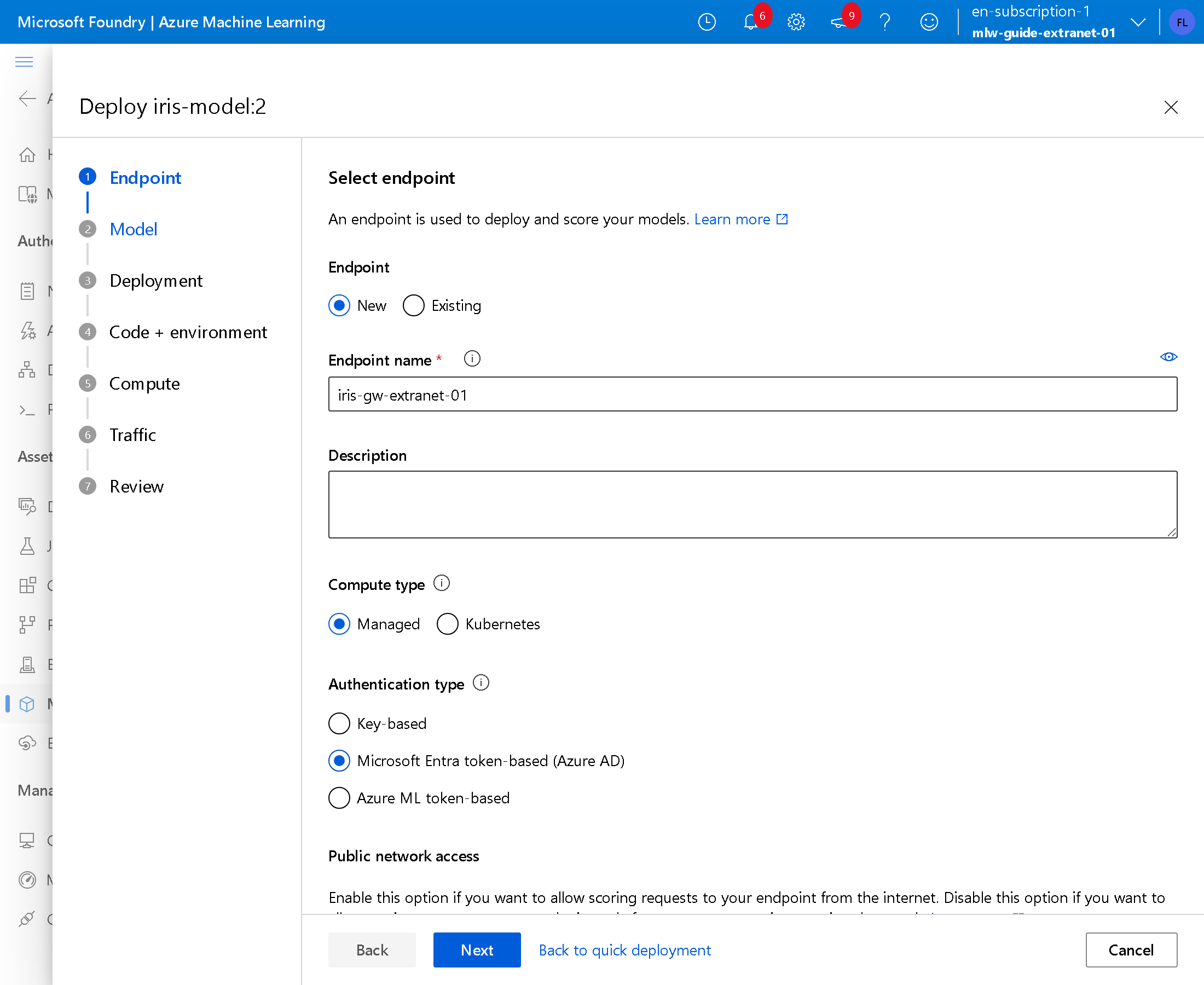
Press Next. In Model leave iris-model version 2; in Deployment write blue in Deployment name; in Code + environment, Compute and Traffic leave the proposed values: Standard_D2as_v4, Instance count 1, blue at 100%. Press Next up to Review and then Create.
With Microsoft Entra access the endpoint has no keys: it only accepts a token issued to whoever is allowed to call it. In the test the first attempt failed with The Resource 'Microsoft.ContainerRegistry/registries/...' under resource group 'rg-guide-ml-01' was not found: on the first deployment the workspace creates its container registry, which at that moment was not ready yet. After deleting the endpoint and repeating the step, the deployment succeeded in 25 minutes.
The gateway
2. Create the API Management
On the Azure portal search for API Management services and press Create. In Basics fill in:
- Resource group:
rg-guide-ml-01 - Region: West Europe
- Resource name: a name of your own, unique in Azure, here
apim-iris-extranet-01 - Organization name: the name of your organization
- Administrator email: the address that receives the notifications of the service
- Pricing tier: Consumption (99.95% SLA)
Open the Managed identity tab and tick Status.
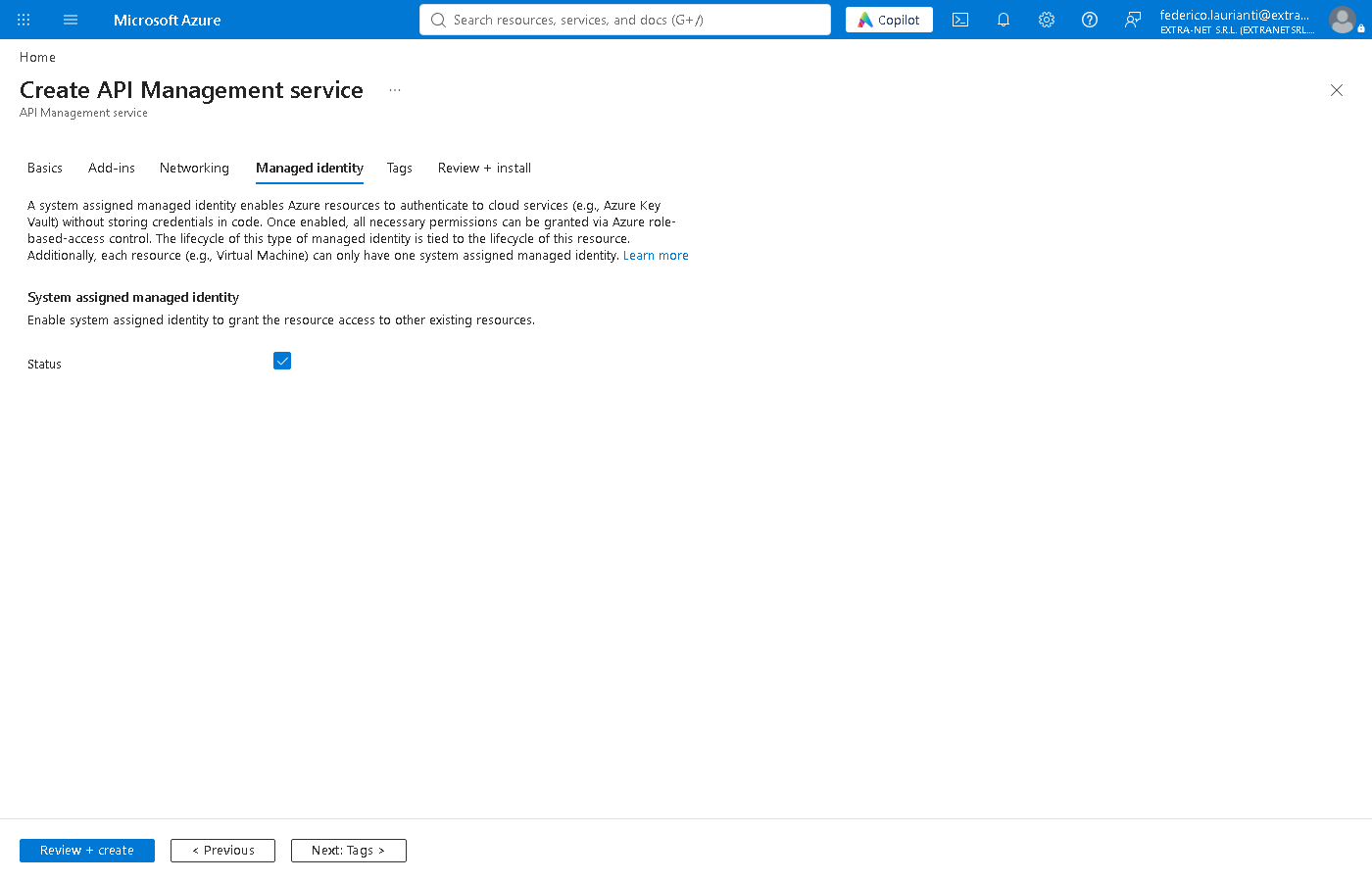
Press Review + create and Create. The gateway will have the address https://apim-iris-extranet-01.azure-api.net.
3. Allow the gateway to call the model
On the portal open the endpoint: search for iris-gw-extranet-01, of type Machine learning online endpoint. Press Access control (IAM) and, in the Grant access to this resource box, Add role assignment.
- Role: search for
AzureML Data Scientist, select it and press Next - Assign access to: Managed identity
- Members: press Select members, in Managed identity choose API Management service, select
apim-iris-extranet-01and press Select
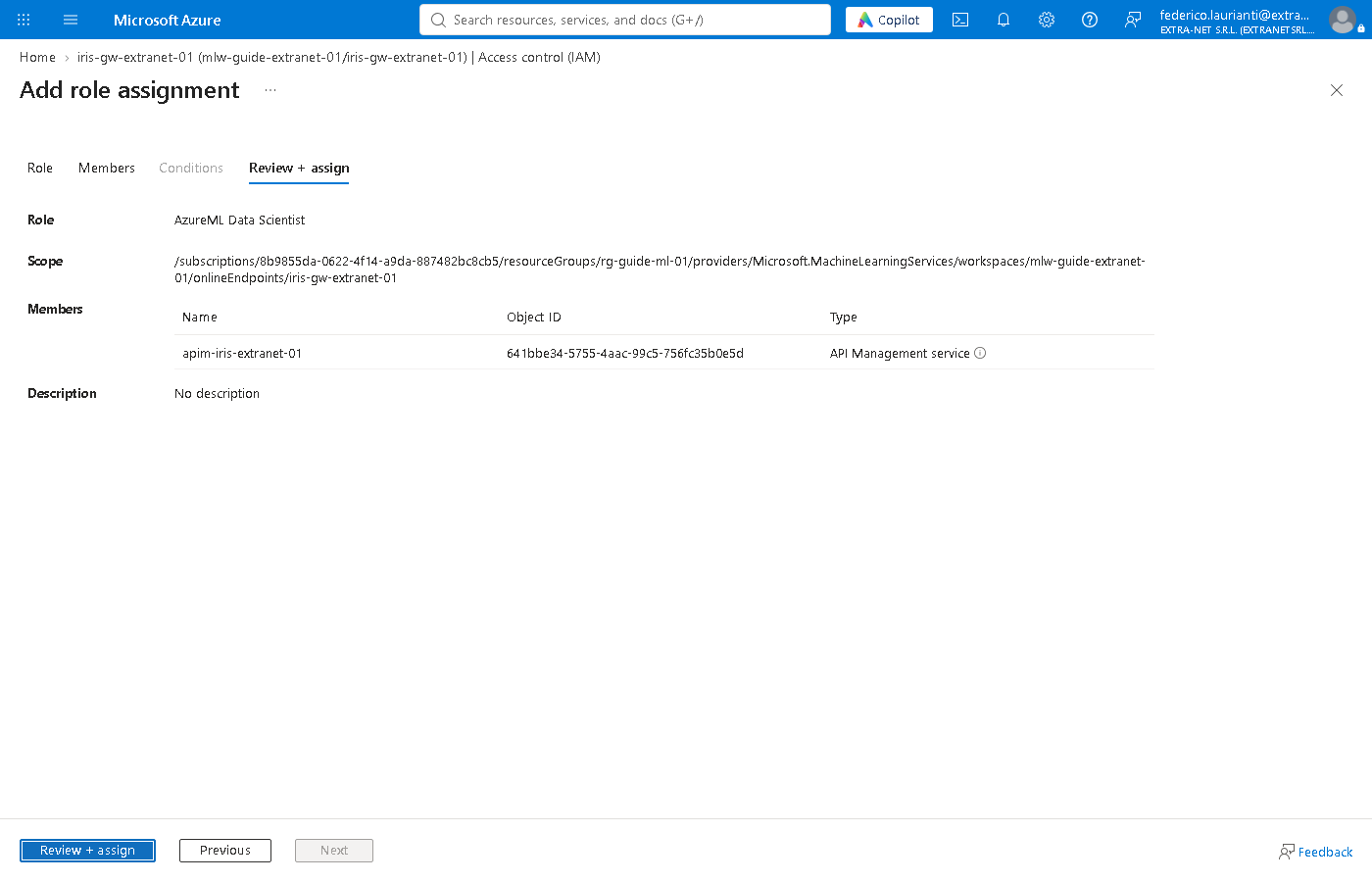
Press Review + assign twice. The permission applies only to this endpoint.
4. Create the request schema
In the API Management press APIs > Schemas > Add and fill in:
- Name:
iris-request - Schema type: JSON
- Create method: Create new
- Content:
{
  "type": "object",
  "required": ["input_data"],
  "properties": {
    "input_data": {
      "type": "object",
      "required": ["columns", "index", "data"],
      "properties": {
        "columns": {
          "type": "array",
          "items": { "enum": ["sepal_length", "sepal_width", "petal_length", "petal_width"] },
          "minItems": 4,
          "maxItems": 4,
          "uniqueItems": true
        },
        "data": {
          "type": "array",
          "items": { "type": "array", "items": { "type": "number" }, "minItems": 4, "maxItems": 4 }
        }
      }
    }
  }
}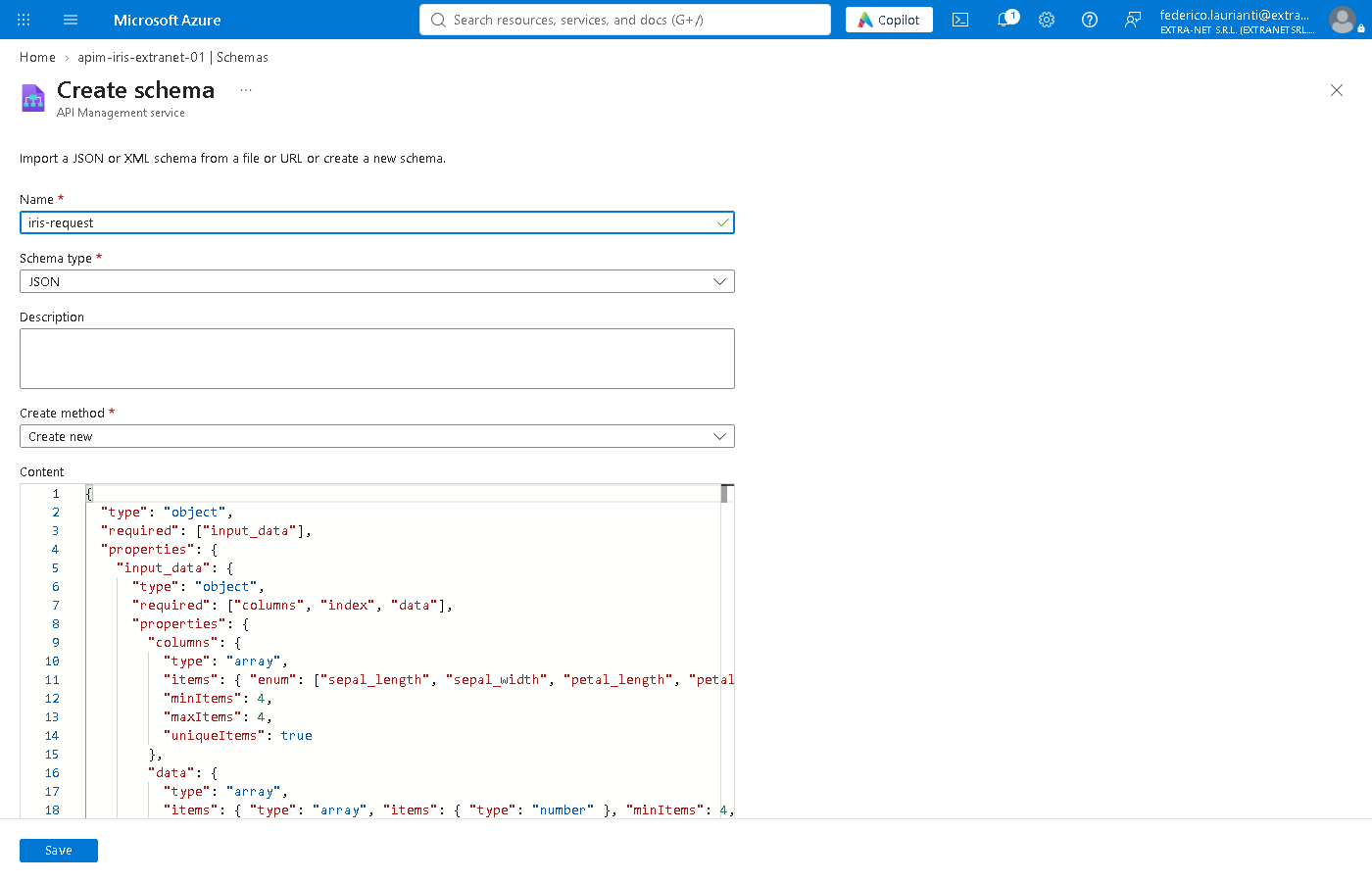
Press Save. The columns must be exactly the four measures, without repetitions, and each flower must have four numbers.
5. Create the API
Press APIs > APIs > Add API > HTTP and fill in:
- Display name:
iris - Web service URL:
https://iris-gw-extranet-01.westeurope.inference.ml.azure.com, the address of the endpoint without/score - API URL suffix:
iris
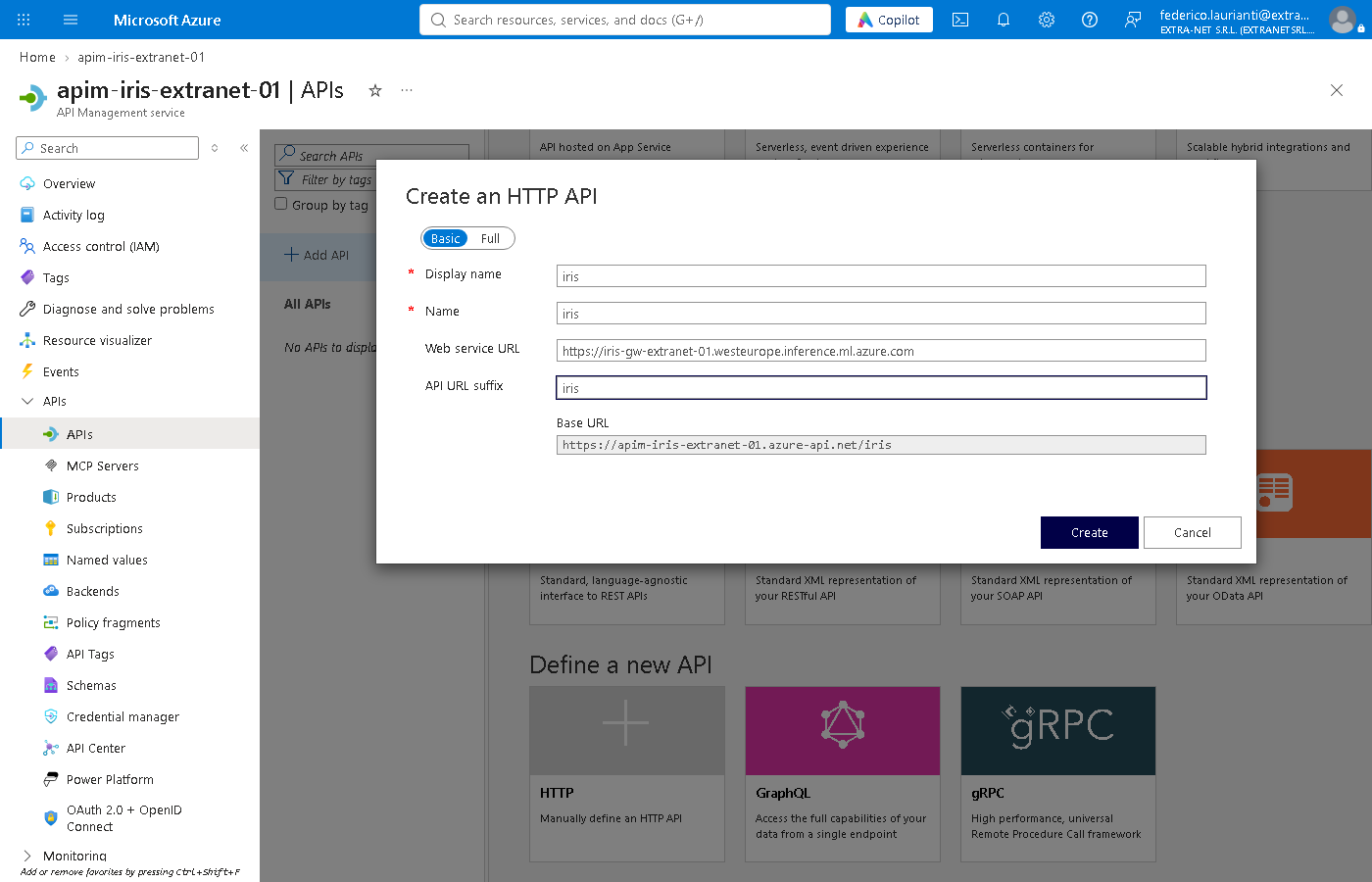
Press Create.
6. Add the operation
In the iris API press Add operation and fill in Display name score and URL POST /score; press Save.
Then, in the Frontend box, open the arrow menu and choose OpenAPI editor (JSON). After the line "operationId": "score", add:
"requestBody": {
    "content": {
        "application/json": {}
    }
},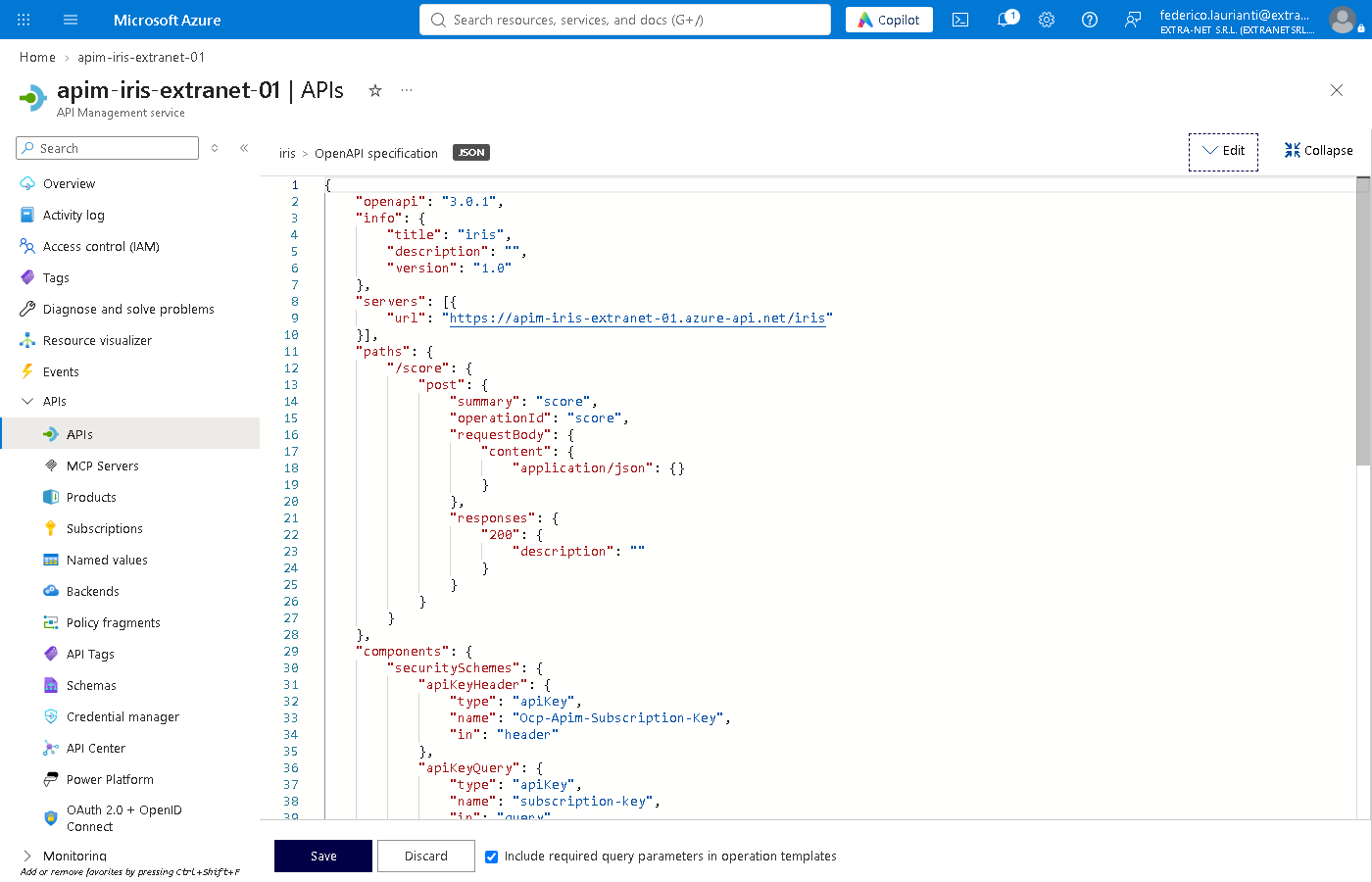
Press Save. Without this declaration the check of step 7 rejects every request: in the test it answered 400 with Unspecified content type application/json is not allowed.
7. Write the gateway rules
Press All operations and, in Inbound processing, the </> icon. Replace the content with:
<policies>
    <inbound>
        <base />
        <rate-limit calls="10" renewal-period="60" />
        <validate-content unspecified-content-type-action="prevent" max-size="4096" size-exceeded-action="prevent">
            <content type="application/json" validate-as="json" action="prevent" schema-id="iris-request" />
        </validate-content>
        <authentication-managed-identity resource="https://ml.azure.com" />
    </inbound>
    <backend>
        <base />
    </backend>
    <outbound>
        <base />
    </outbound>
    <on-error>
        <base />
    </on-error>
</policies>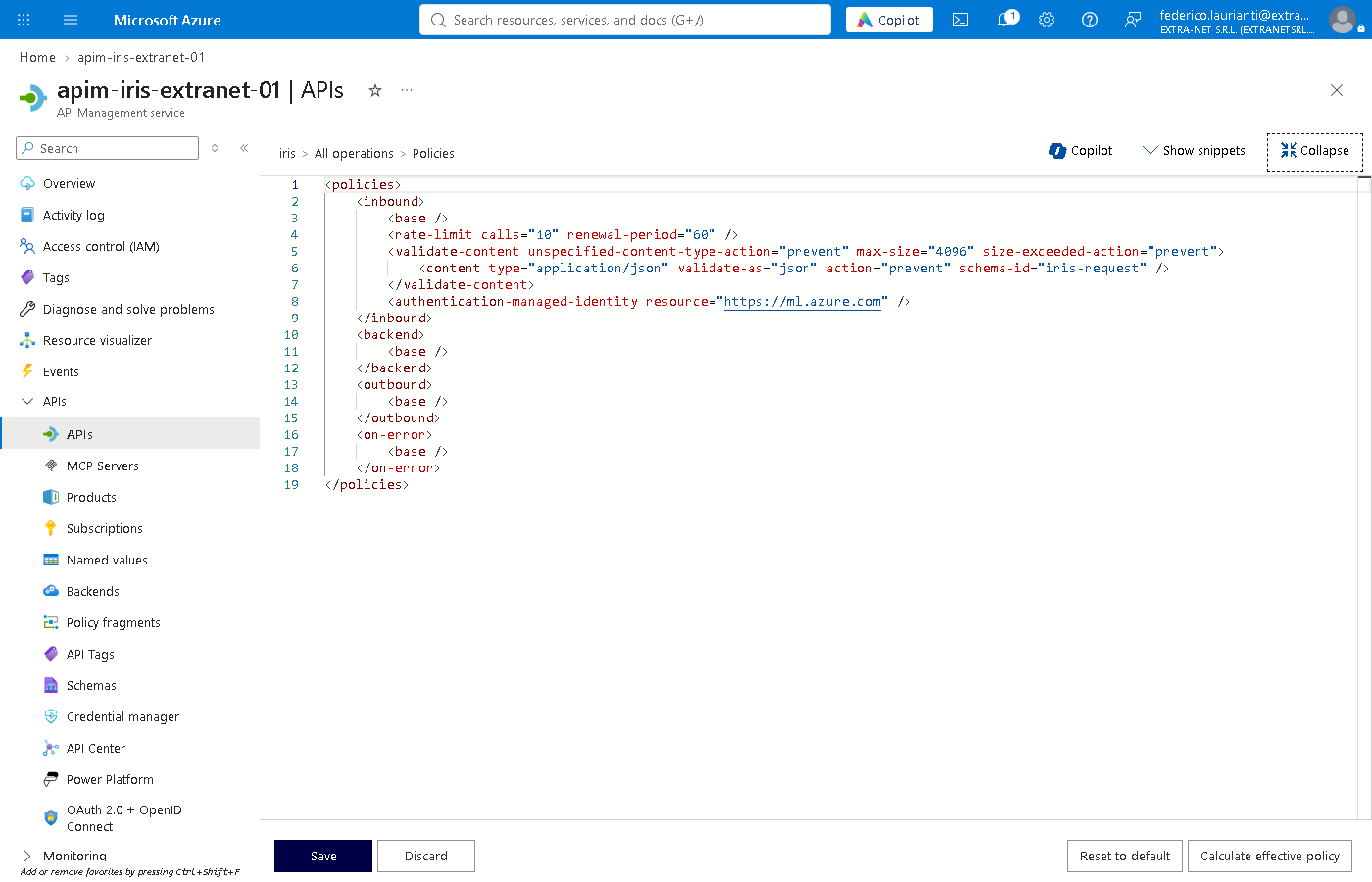
Press Save. rate-limit allows 10 calls a minute per subscription and answers 429 to the others; validate-content checks the body against the iris-request schema and answers 400 if it does not match; authentication-managed-identity asks for a token for https://ml.azure.com with the identity of the gateway and adds it to the request to the model.
8. Create the subscription for the client
Press APIs > Subscriptions > Add subscription and fill in:
- Name:
iris-client - Display name:
iris-client - Scope: API
- API:
iris
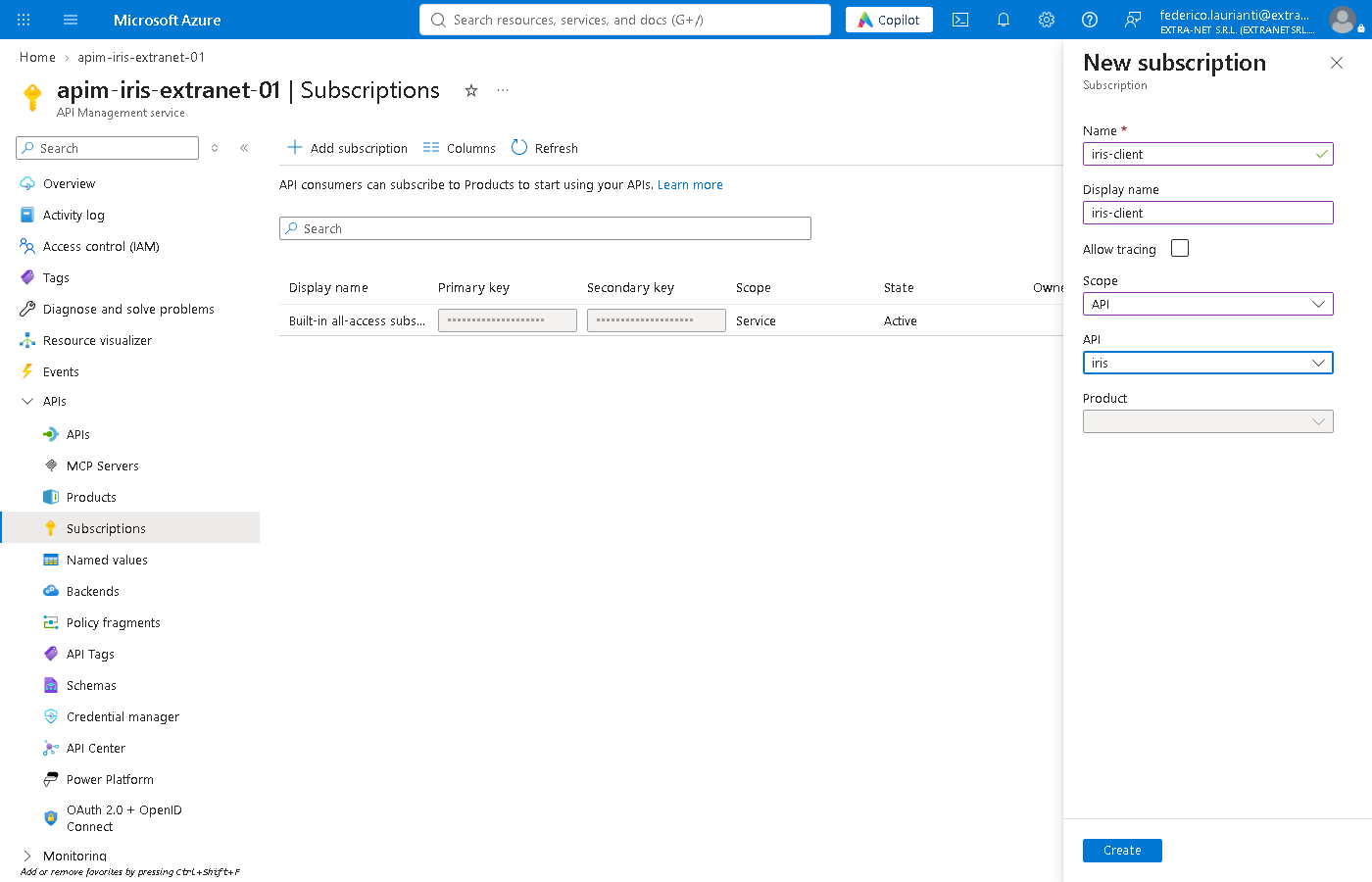
Press Create. In the iris-client row open the ... menu, choose Show/hide keys and copy the primary key. It is the only key the client knows: do not write it in the code and do not publish it.
The client
9. Create the console
dotnet new console -n iris-gateway
cd iris-gateway
Replace Program.cs. It sends 15 requests in a row to the gateway and counts the responses by code. With the broken argument it imitates a client with a defect: it sends three measures instead of four.
using System.Net.Http.Json;

string gatewayUri = Environment.GetEnvironmentVariable("GATEWAY_URI")!;
string key = Environment.GetEnvironmentVariable("GATEWAY_KEY")!;
bool broken = args.Length > 0 && args[0] == "broken";

// a broken client sends three measures instead of four
string[] columns = broken
    ? ["sepal_length", "sepal_width", "petal_length"]
    : ["sepal_length", "sepal_width", "petal_length", "petal_width"];
double[] flower = broken ? [6.0, 2.9, 4.5] : [6.0, 2.9, 4.5, 1.5];

var body = new { input_data = new { columns, index = new[] { 0 }, data = new[] { flower } } };

using HttpClient http = new();
http.DefaultRequestHeaders.Add("Ocp-Apim-Subscription-Key", key);

Dictionary<int, int> count = [];
Dictionary<int, string> lastBody = [];
for (int i = 0; i < 15; i++)
{
    using HttpResponseMessage response = await http.PostAsJsonAsync(gatewayUri, body);
    int code = (int)response.StatusCode;
    count[code] = count.GetValueOrDefault(code) + 1;
    lastBody[code] = await response.Content.ReadAsStringAsync();
}

foreach (int code in count.Keys.Order())
{
    Console.WriteLine($"{code}: {count[code]} responses, last: {lastBody[code]}");
}
10. Send correct and faulty requests
Set the two variables, with the key copied in step 8, and start the console; after a minute start it with broken:
export GATEWAY_URI=https://apim-iris-extranet-01.azure-api.net/iris/score
export GATEWAY_KEY=<key>
dotnet run
dotnet run -- broken
In PowerShell the first two lines are $env:GATEWAY_URI = "..." and $env:GATEWAY_KEY = "...". In the test:
200: 10 responses, last: [{"0": 0.006401204038411379, "1": 0.7643778324127197, "2": 0.22922095656394958}]
429: 5 responses, last: { "statusCode": 429, "message": "Rate limit is exceeded. Try again in 60 seconds." }
400: 10 responses, last: { "statusCode": 400, "message": "Body of the request does not conform to the definition which is associated with the content type application/json. Path:input_data.columns Message: Array item count 3 is less than minimum count of 4. Line: 1, Position: 70 SchemaId: #/properties/input_data/properties/columns" }
429: 5 responses, last: { "statusCode": 429, "message": "Rate limit is exceeded. Try again in 60 seconds." }The correct client gets 10 responses from the model, a versicolor at 76%, then 429 until the end of the minute. The requests of the faulty client stop at the gateway with 400 and the cause: the missing column. In the test, without the key the gateway answered 401, and the model called directly, without a token, 401 with Jwt is missing.
Delete the resources
11. Delete the group
Delete the rg-guide-ml-01 group as in step 13 of the starting guide. The API Management and the subscription go with it. For 48 hours the API Management stays deleted provisionally and its name cannot be reused.
12. Permanently delete the workspace
On the portal search for Azure Machine Learning, press Recently deleted, choose the subscription and, in Location, West Europe. Tick mlw-guide-extranet-01 and press Permanently delete, as in step 14 of the starting guide. Without this step, for 14 days you cannot create a workspace with the same name.
Command names, screenshots and responses recorded on November 23, 2026, West Europe region, with .NET 11.